
Listing image board
Thumbnail to marketplace set

Listing Image Generator
Generate extra views for thumbnails, category cards, and listing coverage from one approved product photo. This page fits teams that search for listing-ready output rather than a broader 3D production workflow.
Listing image board
Thumbnail to marketplace set
Cover thumbnails, cards, and listing slots without sending the product back into a longer workflow.
Useful for catalog refreshes, seasonal pushes, marketplace uploads, and sales-surface experiments.
The fastest useful output usually wins when the real task is getting more sellable product views live.
Visual proof
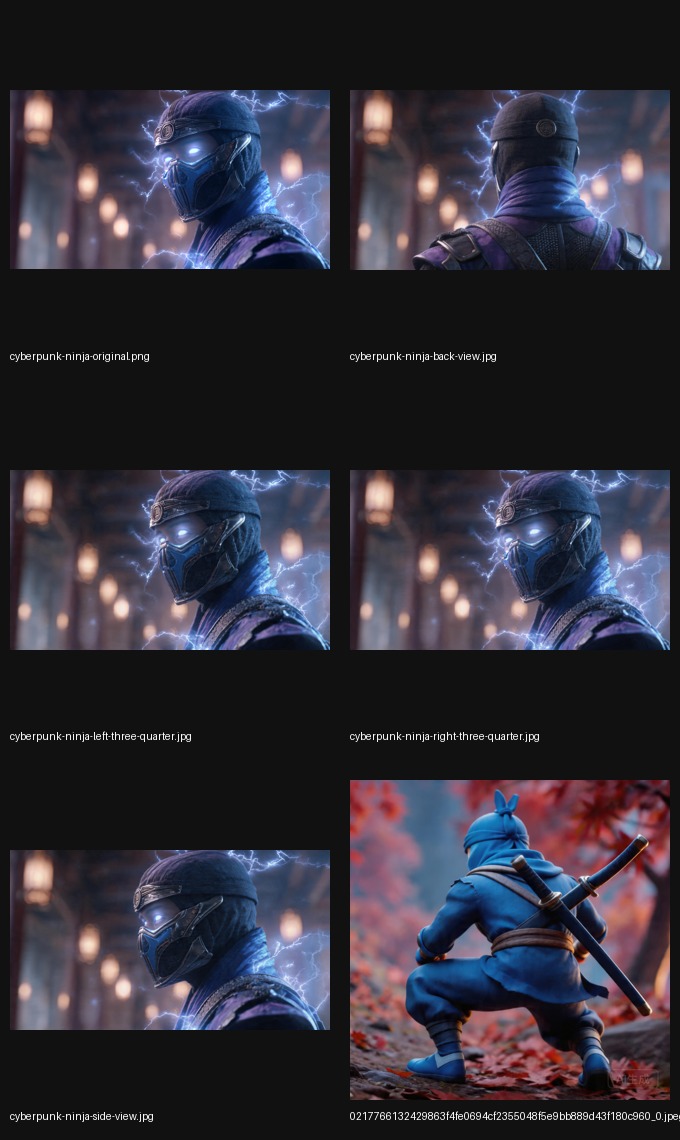
Use one approved product photo to spin out the alternate views needed across thumbnails, cards, and listing slots.
Listing set
Use the same product subject to cover different marketplace slots, entry cards, and listing layouts.

Thumbnail opener
That angle often works better than a flat front shot in crowded catalog surfaces.

Catalog coverage
Side views help shoppers read the object faster in dense listings.

Completeness
Use them when your catalog needs more confidence-building detail from the same product source.
Search fit
If the search is really about marketplace thumbnails or listing cards, this page is a closer match than the general homepage.
You need stronger thumbnails, collection cards, and listing-ready product views from one approved image.
If you want the broader workflow beyond listings, the product image angle generator page gives wider context.
It helps create more marketplace-ready product views such as thumbnails, catalog cards, and alternate listing angles from one source photo.
It is for ecommerce teams, marketplace operators, and catalog managers who need stronger listing coverage.
Yes. The same generated views can also be used in PDP modules, ads, sales collateral, and other commerce surfaces.
Related guides
Start narrower when listings are the bottleneck, broader when PDP and ads matter too, or jump straight into the tool if the intent is already clear.
Broader coverage
Use it when the need is broader than listings and includes PDP, ads, and general catalog angle coverage.
Open image angle guideHigher-level page
Use the broader product angle page if you want the higher-level ecommerce framing around the workflow.
Open product angle guideComparison
Use the image-to-3D page if you are still separating listing-image needs from actual model-file workflows.
Compare with 3DStart now
Use the homepage when you already know the page needs more listing-ready views from the product photo you have.
Open homepage toolStart
Open the homepage tool when you are ready to move from explanation into production.
Open imgcraft AI