
Angle coverage board
Source to expanded set
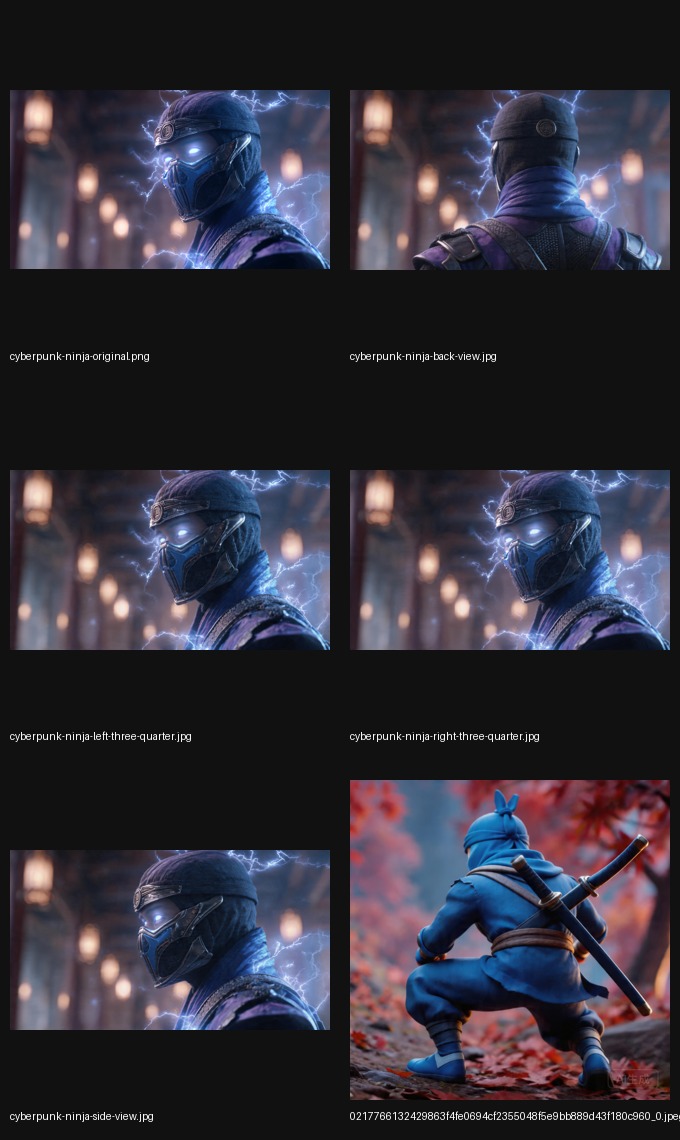

Product Angle Generator
Generate listing-ready front, side, and back views from one approved product photo. Built for PDPs, ads, and marketplace uploads where speed matters more than a full 3D pipeline.
Angle coverage board
Source to expanded set
Fill PDP, listing, and ad slots without asking the team to rebuild the asset.
X, Y, and Z control keeps the workflow inside direction logic rather than prompt drift.
The output is meant for storefront surfaces, campaign creative, and catalog coverage.
Visual proof
The category makes more sense when teams can immediately see the source image, the expanded set, and where the new view gets used.
Angle set
Use one image to expand coverage for PDP modules, marketplace uploads, and campaign creatives without starting a full 3D production workflow.
Source image
No need to rebuild the asset from zero just to gain more coverage.
Catalog angle
Fill the angle gaps that slow down PDP, catalog, and listing decisions.

Campaign use
Turn one subject into more launch-ready variations for paid and organic surfaces.
Search fit
Teams searching this category usually want faster merchandising coverage, not a deeper modeling workflow.
You need more catalog views, richer PDP coverage, or additional ad-ready product angles from one image.
If you need a true 3D model file, scene reuse, or mesh export, use the image-to-3D comparison page first.
Why it matters
People searching this term usually want a practical workflow they can ship into catalog, campaign, and listing surfaces.
Show more viewing angles without building a complete 3D asset pipeline.
Test angle changes in paid campaigns without re-shooting every asset.
Generate consistent catalog visuals for marketplace uploads and product pages.
Workflow
Start with a product photo that already represents the item clearly.
Use X, Y, and Z controls to steer the direction instead of relying on guesswork.
Publish the new view to your PDP, campaign, or marketplace listing.
No. It focuses on generating ecommerce-friendly angle variations from a single image.
It is meant for ecommerce teams, growth marketers, marketplace operators, and merchandisers.
You should expect a workflow that turns one approved product photo into additional views for PDPs, ads, and listing coverage.
Related guides
Choose the next page by intent: start generating now, compare with true 3D, narrow to image-angle language, or focus on marketplace coverage.
Start now
Use the homepage when you already know the workflow you want and just need to start generating.
Open homepage toolCompare
Use the image-to-3D guide if the bigger question is whether you need a model pipeline at all.
Compare with 3DNarrower term
Use the narrower guide when the search is explicitly about side, back, and three-quarter image angles.
Open image angle guideMarketplace
Use the listing image guide when catalog cards and marketplace entries are the main target.
Open listing guideTry it
Use the homepage tool to generate product-ready views in a few steps.
Open imgcraft AI